CRuler 技术支持
测量、机型适配、背景与设置问题的排查与反馈
快速排查
测量与校准
测量结果和实际尺寸不一致,怎么办?
CRuler 把屏幕当作尺子,刻度按屏幕物理尺寸换算,不使用相机。请先确认机型校准正确:
- 点工具栏「机型」,查看自动识别的机型是否与你的设备一致。
- 不一致或未识别:在弹窗中输入屏幕长边尺寸(mm,竖屏高度,不含边框/黑边),点「确定」。
- 把物体平放在屏幕上,与刻度方向平行;保护膜/保护壳不会改变刻度,但会影响物体摆放。
- 折叠屏请确认当前使用外屏还是内屏;App 会按当前屏幕选择对应参数。
- 若仍有偏差,请附机型、长边尺寸、iOS 版本和对比照片反馈。
怎样手动校准机型?长边尺寸填什么?
点工具栏「机型」→ 在「输入长边尺寸参数校正」输入屏幕物理长边(mm)→「确定」。 App 会用该值重新计算每毫米像素数。
长边指屏幕(不含边框)的竖屏高度,不是整机高度。可在厂商规格页或可信机型资料中 查屏幕尺寸;如不确定,请附机型与截图反馈。
测量单位与 A-B 标记怎么用?
工具栏「标记」开启 A/B 两点;拖动圆点,标签显示 cm / in / 寸(英文界面只显示 cm / in)。
「锁定」防止误触;「归零」把刻度起点复位;「设置 → 触感与音效 → 跟随滑杆滚动刻度」 可让刻度跟随左侧滑杆(默认关,需要先开启标记)。
机型与折叠屏
机型没有自动识别,或识别错了?
App 内置 131 款机型;新机型、非 iPhone 或特殊版本可能无法自动识别。 在「机型」弹窗手动输入屏幕长边即可正常测量,不影响其他功能。
如果识别结果明显不符,请通过下方联系方式提供设备型号(如 iPhone17,2)、机型名称和屏幕参数, 后续版本可补充机型库。
折叠屏应该选外屏还是内屏?
App 会按当前屏幕的像素宽高比尝试匹配外屏/内屏档案;若当前屏幕识别错误, 请手动输入当前屏幕的长边尺寸。外屏与内屏的参数不同,不能共用同一组校准值。
标记与测距
距离标签、锁定、归零分别在什么地方?
开启「标记」后,A/B 两个圆点之间会出现距离标签;工具栏的「锁定」和「归零」分别用于 防止误触和恢复刻度起点。标记位置、锁定状态与工具栏显隐只在本次运行内有效, 不会写入本地存储。
主题、背景与语言
怎样换主题、调弥散强度或同步标尺颜色?
打开「设置 → 弥散主题」:可选择预置主题或自定义调色,调整弥散强度、标尺颜色同步, 以及在日间 / 夜间 / 跟随系统之间切换。
怎样使用自定义背景图片?
打开「设置 → 自定义背景」:共 6 个槽位。点空槽会打开系统相册选择图片;点已填充槽位启用; 长按槽位可编辑或删除。编辑器支持双指缩放、单指拖动、双击复位,点「保存」应用。
「每天随机显示图片」会从已保存的槽位中随机选择。图片背景与弥散主题互斥, 选择弥散主题会退出图片背景。图片只在本机处理,不会上传。
语言与音效
怎样切换界面语言?
界面语言跟随系统设置,在简体中文 / 香港繁体中文 / 英文之间自动切换; App 内没有语言开关。也可以在 iOS 设置 → App → CRuler → 语言中单独指定。 切换语言后系统会重启 App。
触感和音效可以关闭吗?
打开「设置 → 触感与音效」,可分别关闭触感反馈和拟物音效,并在 3 种音色中选择。 音效仅用于播放,不录音、不使用麦克风。
数据、隐私与系统要求
我的设置和背景图片会被上传吗?
不会。设置和自定义背景只保存在本机;App 无需账号,自身不发起网络请求,也不含第三方 SDK。 删除 App 会清除本地数据;如开启了 iCloud 或电脑备份,历史备份中的 App 数据可能仍由系统保留。 详情见 隐私政策。
支持哪些设备和系统?
需要 iOS 17 或更高版本;面向 iPhone(横屏为主;iPhone Duo 内屏支持竖屏)。 iPad 目前未适配。
联系支持
工作时间:每周一~周五;周末及法定节假日休息。
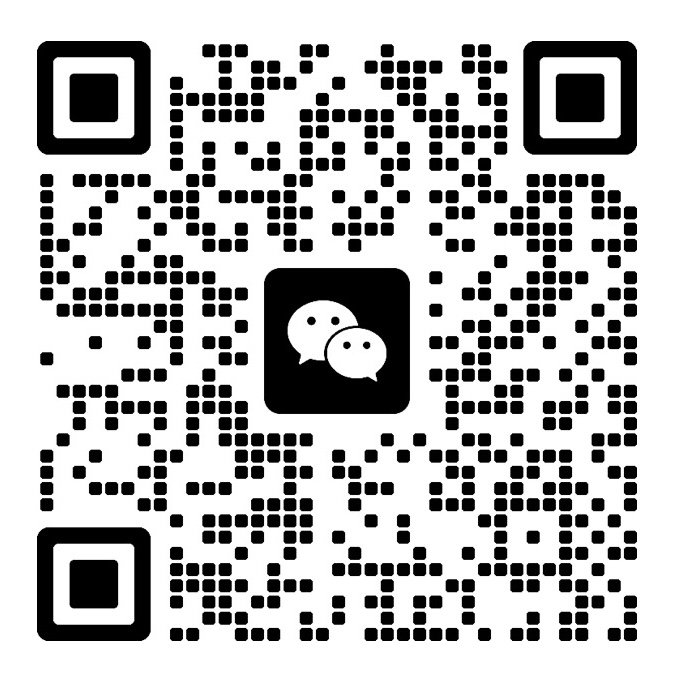
微信可扫码或搜索 dragonc_btfx;小红书可扫码或搜索 就这么Cat。 添加微信时请备注「CRuler 支持」。
反馈时请附上:
- App 版本与 build(App Store / TestFlight 可见)
- 设备型号(如 iPhone 17 Pro)、iOS 版本
- 复现步骤、预期结果与实际结果
- 截图或录屏(请勿包含个人信息)
提交前请先阅读上面的常见问题,通常能更快解决。
隐私政策:CRuler 隐私政策
Quick checks
Measuring & calibration
My measurement does not match the real size. What should I do?
CRuler uses the screen as a ruler. The scale is derived from the screen's physical size, not the camera. First check that the device calibration is correct:
- Tap Device in the toolbar and confirm that the detected model matches your device.
- If it is wrong or not detected, enter the screen's long edge in mm (portrait screen height, excluding bezels) and tap OK.
- Place the object flat on the screen, parallel to the scale. Screen protectors and cases do not change the scale, but they can affect placement.
- On a foldable, confirm whether you are using the outer or inner screen; the app selects parameters for the active screen.
- If the error remains, include the device model, long-edge value, iOS version, and a comparison photo in your support request.
How do I calibrate manually? What is the long edge?
Tap Device in the toolbar, enter the screen's physical long edge in mm under "Calibrate", and tap OK. The app recalculates pixels per millimeter.
The long edge is the portrait height of the screen (excluding bezels), not the height of the whole phone. Check the manufacturer's specifications or a reliable device database. If you are unsure, send us the model and a screenshot.
How do units and A-B markers work?
Turn on Markers in the toolbar to show points A and B. Drag the dots; the label shows cm / in / 寸 (English UI shows cm / in only).
Lock prevents accidental touches; Reset returns the scale to its origin. "Scroll with slider" under Settings → Haptics & Sound makes the scale follow the left marker (off by default; markers must be on).
Devices & foldables
My device is not detected, or the wrong model is detected.
The app includes 131 models. New models, non-iPhones, and some regional variants may not be detected. Enter the screen long edge manually under Device; all other features keep working.
If the result is clearly wrong, send us the device identifier (for example iPhone17,2), model name, and screen specifications via the contact details below so we can add it to a future catalog.
Which screen should I use on a foldable?
The app tries to match the outer or inner display profile from the current screen's pixel aspect ratio. If the active screen is misidentified, enter that screen's long edge manually. Outer and inner screens have different parameters and cannot share one calibration.
Markers & measuring
Where are the distance label, lock, and reset?
After turning on Markers, a distance label appears between points A and B. Lock prevents accidental touches and Reset returns the scale to its origin. Marker positions, lock state, and toolbar visibility last for the current session only and are not stored locally.
Theme, background & language
How do I change the theme, intensity, or ruler color sync?
Open Settings → Theme. Choose a preset or custom palette, adjust the diffuse intensity, enable ruler color sync, and switch between day, night, and system appearance.
How do I use custom background photos?
Open Settings → Background. There are 6 slots. Tap an empty slot to open the system photo picker; tap a filled slot to enable it; long-press a slot to edit or delete it. The editor supports pinch-to-zoom, drag-to-move, and double-tap-to-reset; tap Save to apply.
"Randomize daily" picks from the saved slots. Photo backgrounds and the diffuse theme are mutually exclusive; selecting a diffuse theme exits photo mode. Images are processed only on your device and are never uploaded.
Language & sound
How do I change the interface language?
The interface follows your system language and switches automatically between Simplified Chinese, Hong Kong Traditional Chinese, and English. There is no in-app language switch. You may also set a language for CRuler in iOS Settings → Apps → CRuler → Language. Changing the language restarts the app.
Can I turn off haptics and sound?
Open Settings → Haptics & Sound. You can disable haptics and sound independently and choose from 3 sound styles. Sound is played back only; the app does not record audio or use the microphone.
Data, privacy & requirements
Are my settings and background photos uploaded?
No. Settings and custom backgrounds stay on your device. The app requires no account, makes no network requests itself, and contains no third-party SDKs. Deleting the app removes local data; if iCloud or computer backups are enabled, app data in historical backups may still be retained by the system. See the Privacy Policy for details.
Which devices and systems are supported?
iOS 17 or later, designed for iPhone (primarily landscape; iPhone Duo inner screen supports portrait). iPad is not currently supported.
Contact support
Email: yjworks@foxmail.com
Hours: Monday–Friday; closed on weekends and public holidays.
Scan the WeChat or Xiaohongshu code, or search for the IDs above. When adding WeChat, please mention "CRuler support".
Please include:
- App version and build (shown in the App Store / TestFlight)
- Device model (for example iPhone 17 Pro) and iOS version
- Steps to reproduce, expected result, and actual result
- Screenshots or a screen recording (do not include personal information)
Reading the FAQ above first usually resolves the issue faster.
Privacy: CRuler Privacy Policy